How Cook Mode works
Updated
Start Cook Mode
Open a recipe and tap Cook. If you saved a drink, the button says Make instead.
What you see
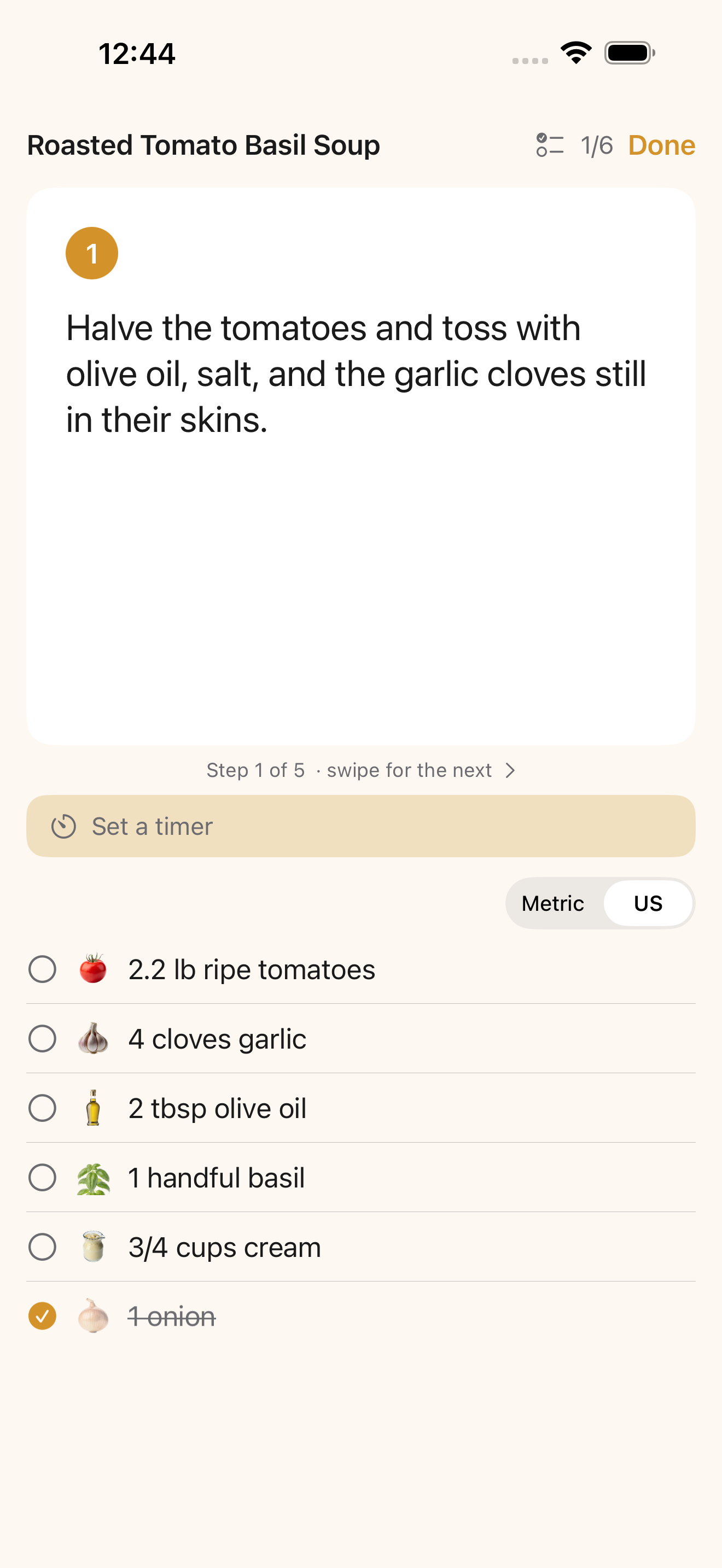
- One step at a time in big type. The screen shows where you are, like “Step 3 of 8,” and you swipe for the next step.
- Ingredients you tap to check off. They sit beside the steps and stay checked off where you left them.
- A screen that stays awake, so you’re not poking it with wet hands.
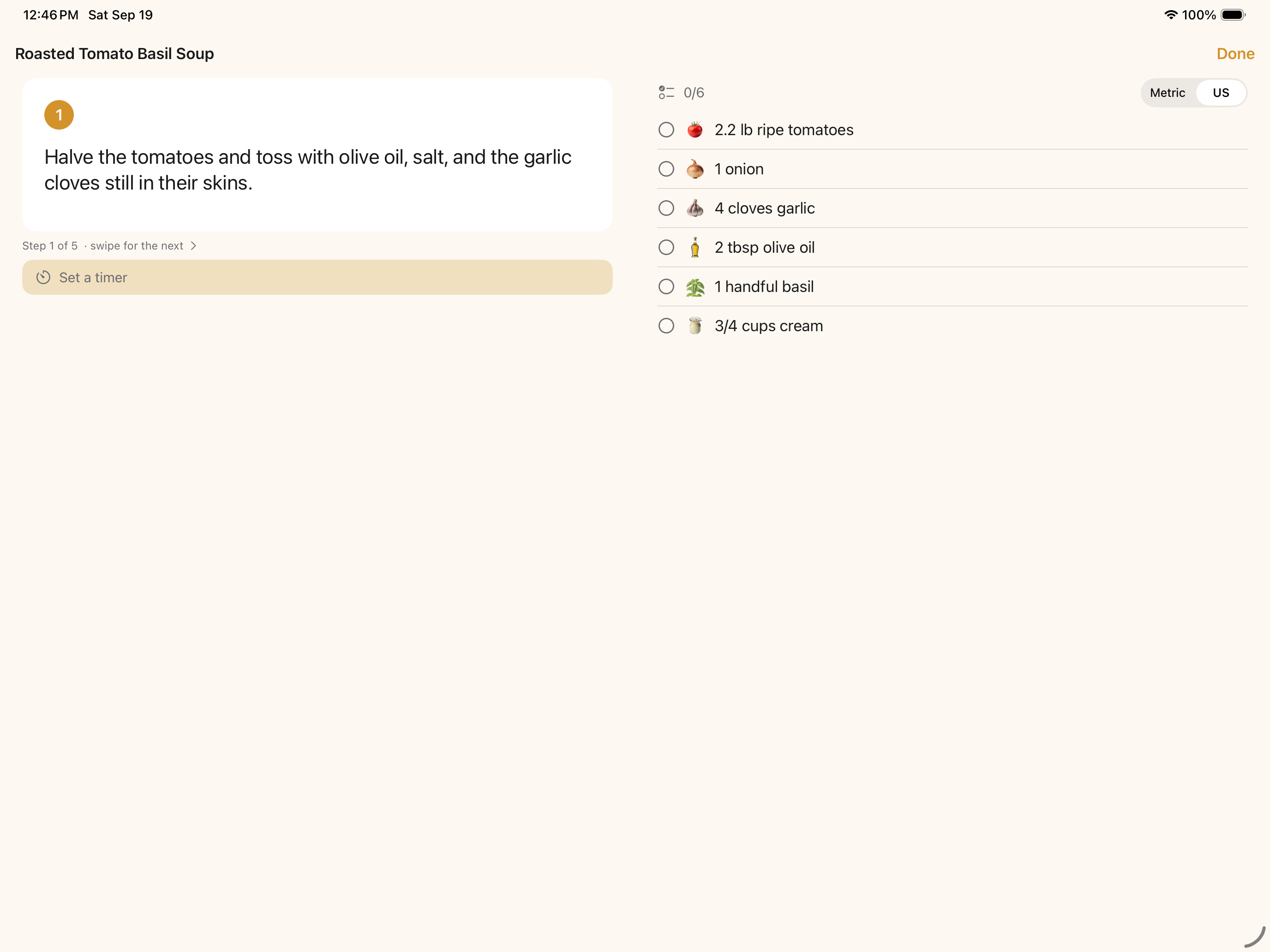
- On iPad, turn it sideways and the step sits next to the ingredient list.
Timers
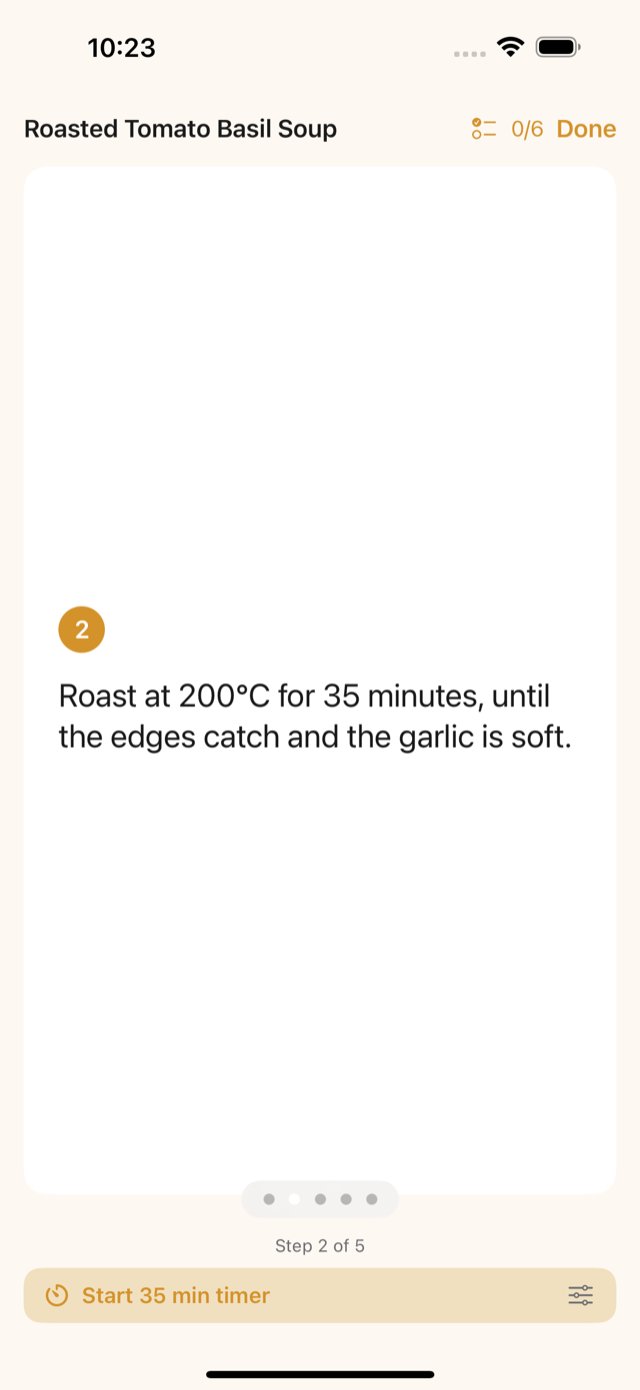
When a step mentions a time, like “simmer for 20 minutes,” Cook Mode reads it and offers a one-tap countdown. If a step has no time in it, open the timer, pick the minutes (1 to 120), and start one yourself.
Pick up where you left off
If you leave a recipe partway through, a Pick up where you left off banner brings you back to the same step. Tap the close button on the banner to stop showing that cook.
After you cook
Open the recipe and answer How’d it go? Give it a rating out of 5, add a photo, and write what you’d change under Next time I’d… That note shows up under Next time the next time you open the recipe.
Change the servings or the units
On the recipe, change the servings and every ingredient rescales. Flip between Metric and US on the recipe or in Cook Mode and the whole recipe switches, steps included.
Common questions
Will my screen go to sleep in Cook Mode?
No. The screen stays awake while you cook.
Does Cook Mode work offline?
Yes. Your library, Cook Mode, and your cook log work with no connection.
Where did my in-progress cook go on my other device?
An in-progress cook stays on the device you started it on.
Still stuck?
Support comes from Big Beard Apps, the studio behind Feastmark.
Contact support