Getting started with Feastmark
Updated
Feastmark saves recipes from videos and posts and turns them into a recipe you can cook from. It runs on iPhone and iPad.
Save your first recipe
- Open a recipe video or post in Instagram, TikTok, YouTube, or Facebook. Recipe blogs work too, from Safari.
- Tap Share and choose Feastmark.
- Look over the ingredients and steps, then keep it.
- Open the recipe and tap Cook when you’re ready to make it.
If the cook only says the recipe out loud and never writes it down, Feastmark listens to the video as well.
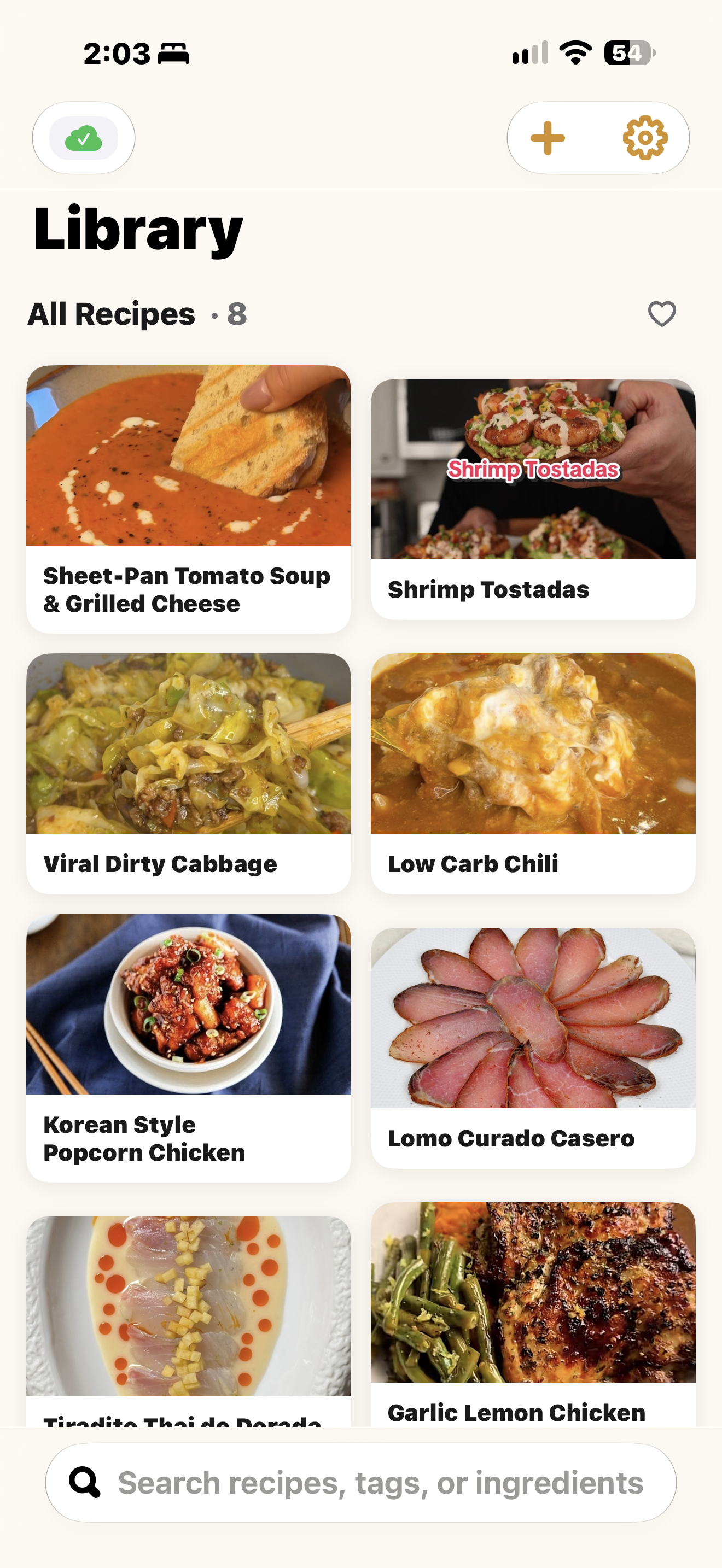
What you get
- A real recipe. Ingredients you can check off and steps you can follow, saved on your phone or iPad.
- Cook Mode. One step at a time in big type, with timers and a screen that stays awake. How Cook Mode works.
- Your own cookbook. Notes, favorites, collections, and search. Organize your recipes.
- A cook log. Rate each cook and write down what you’d change.
No account
You don’t make an account to use Feastmark. Your recipes live on your device. If you’re signed into iCloud they also sync through your own private iCloud. More on sync.
Where to go when something goes wrong
Start with troubleshooting. It covers links that won’t import, missing photos, and recipes that don’t show up on a second device.
Still stuck?
Support comes from Big Beard Apps, the studio behind Feastmark.
Contact support